Customizing your embedded Hello World chat
Now that you have created your first embedded chat, you can explore the options for customiziung the embedded chat.
End Result
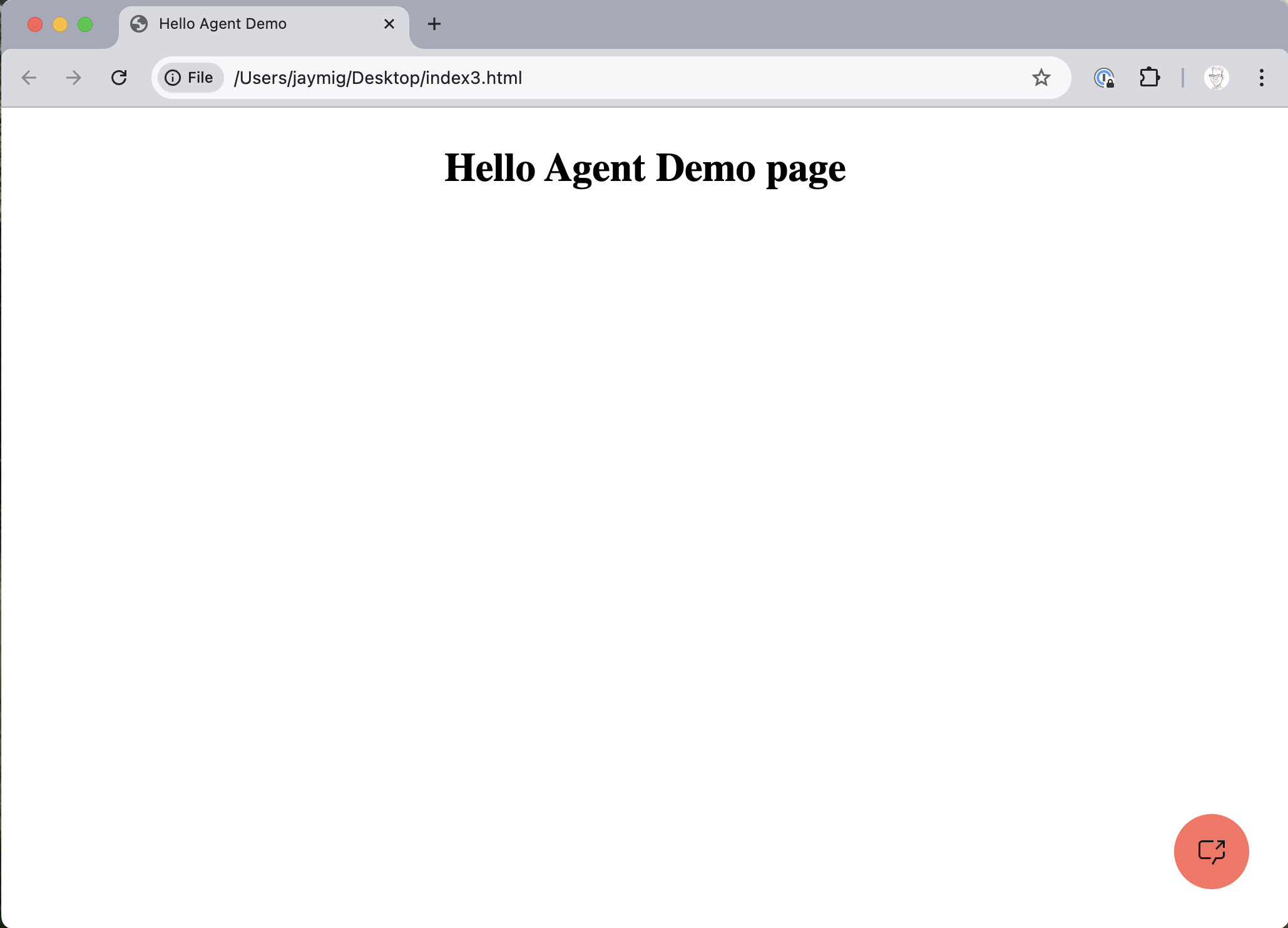
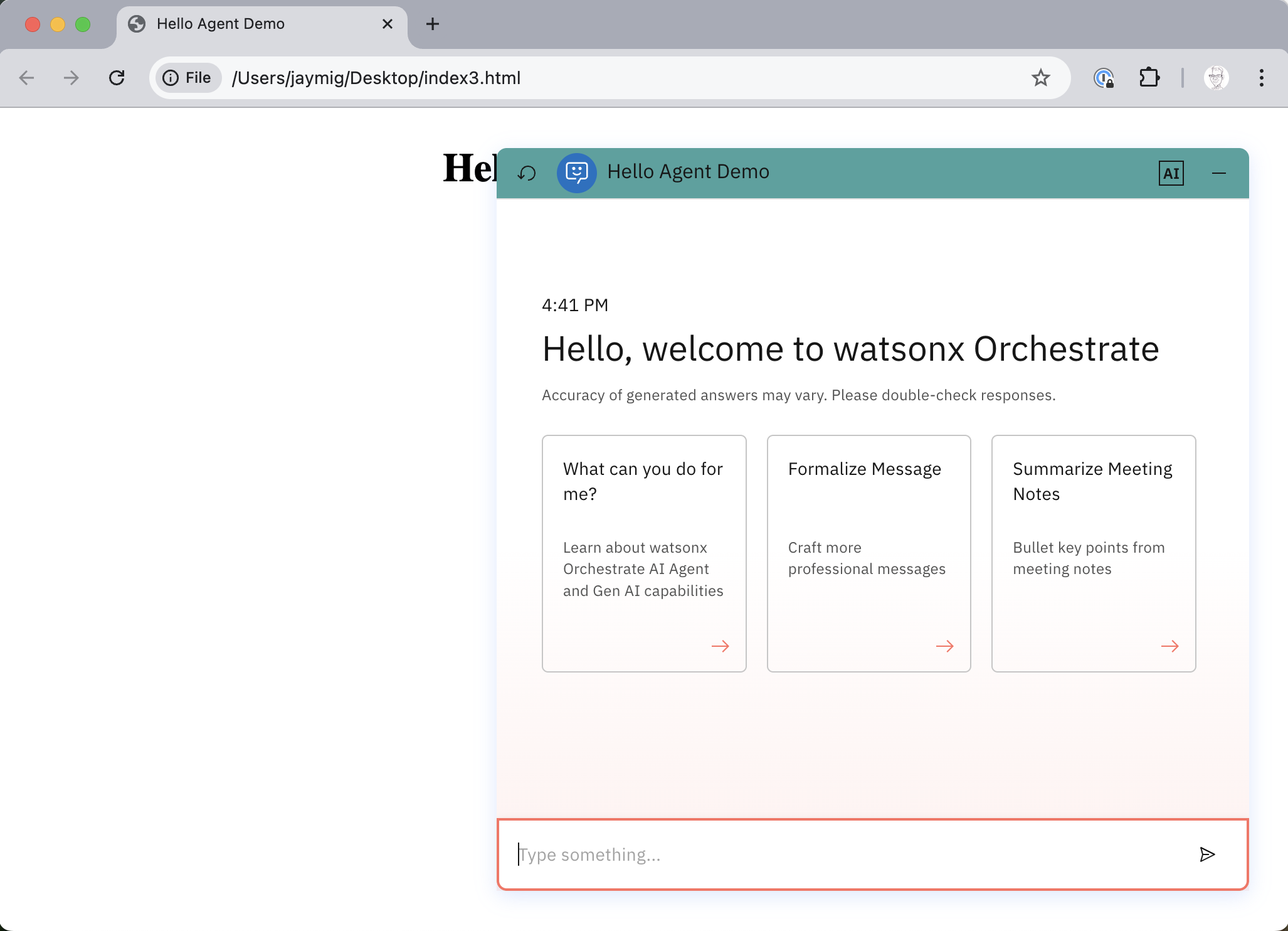
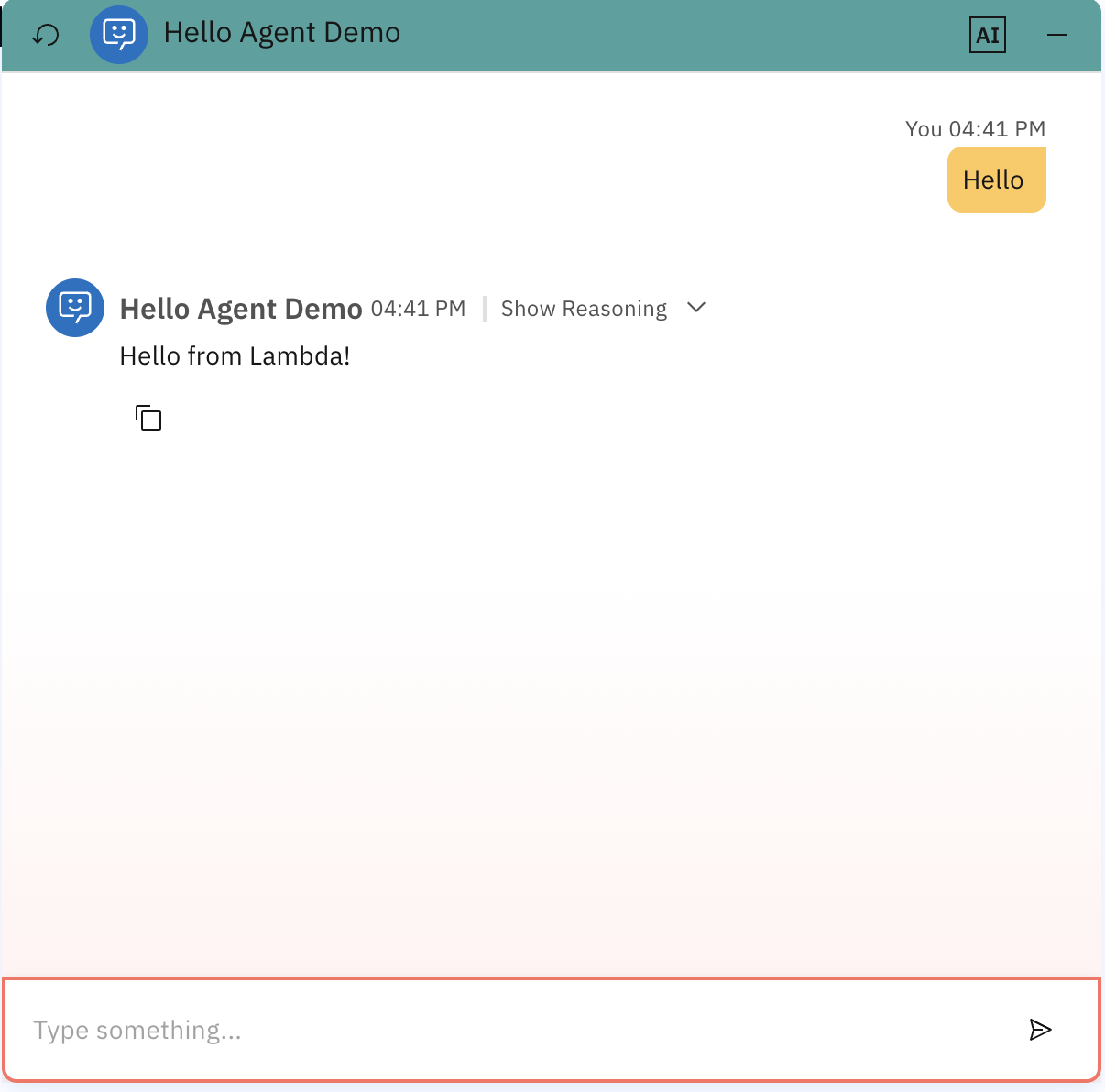
At the end of this tutorial, you should have a simple web page with a red chat icon in the corner, that opens up a chat with a custom header color and size your Hello World agent.
Step by Step instructions
The following steps guild you through customizing the simple web page for your embedded "Hello World" agent.
- To change the color of the launch button, header color and message background you need to add the folowing style section to your HTML file.
    style: {
      headerColor: '#45a29e', //6-digit hex value or empty for default
      userMessageBackgroundColor: '#ffc857', //6-digit hex value or empty for default
      primaryColor: '#ff6f61', //6-digit hex value or empty for default
    },
    layout: {
        form: 'float',                           // 'fullscreen-overlay' | 'float' | 'custom'
        width: '600px',                          // float only
        height: '600px',                         // float only
        showOrchestrateHeader: true,            // hide header if false
        // customElement: hostElement              // custom only
    }
Full html file
Here you can see the full HTML file.
<!DOCTYPE html>
<html lang="en">
<head>
  <meta charset="UTF-8">
  <title>Hello Agent Demo</title>
  <style>
    h1 {
      text-align: center;
    }
  </style>
</head>

<body>
  <h1>Hello Agent Demo page</h1>

  <script>
    window.wxOConfiguration = {
      orchestrationID: "20250430-1111-2222-40a1-cbba52234762",
      hostURL: "https://dl.watson-orchestrate.ibm.com",
      rootElementID: "root",
      showLauncher: true,
      chatOptions: {
          agentId: "2c356c54-abcd-efgh-a4aa-272dc788903a",
          agentEnvironmentId: "9d9e9ac5-1c7e-47e7-a8cd-bb1b665c206c"
      },
      header: {
        showResetButton: true,   // optional; defaults to true
        showAiDisclaimer: true   // optional; defaults to true
      },
      style: {
        headerColor: '#45a29e', //6-digit hex value or empty for default
        userMessageBackgroundColor: '#ffc857', //6-digit hex value or empty for default
        primaryColor: '#ff6f61', //6-digit hex value or empty for default
        showBackgroundGradient: true // optional; defaults to true
      },
      layout: {
          form: 'float',                           // 'fullscreen-overlay' | 'float' | 'custom'
          width: '600px',                          // float only
          height: '600px',                         // float only
          showOrchestrateHeader: true,            // hide header if false
          // customElement: hostElement              // custom only
      }
    };

    setTimeout(function () {
      const script = document.createElement('script');
      script.src = `${window.wxOConfiguration.hostURL}/wxochat/wxoLoader.js?embed=true`;
      script.addEventListener('load', function () {
        wxoLoader.init();
      });
      document.head.appendChild(script);
    }, 0);
  </script>
</body>
</html>
- Congratulations. You have customized your embedded agent.