Getting Started with the ADK
The Agent Development Kit (ADK) is a powerful tool for builders who want to automate the provisioning of agents, tools and knowlege. Additionally, certain configurations may only available in the ADK, so it may be required to deploy or configure your agent.
Note
Installation of the ADK is outside of the scope of this tutorials. Please see the ADK installation documentation for details.
ADK Concepts
The ADK is made up of three main components. The Orchestrate binary, that interacts with the APIs on the Orchestrate server. The diagram below displays the components and interactions.
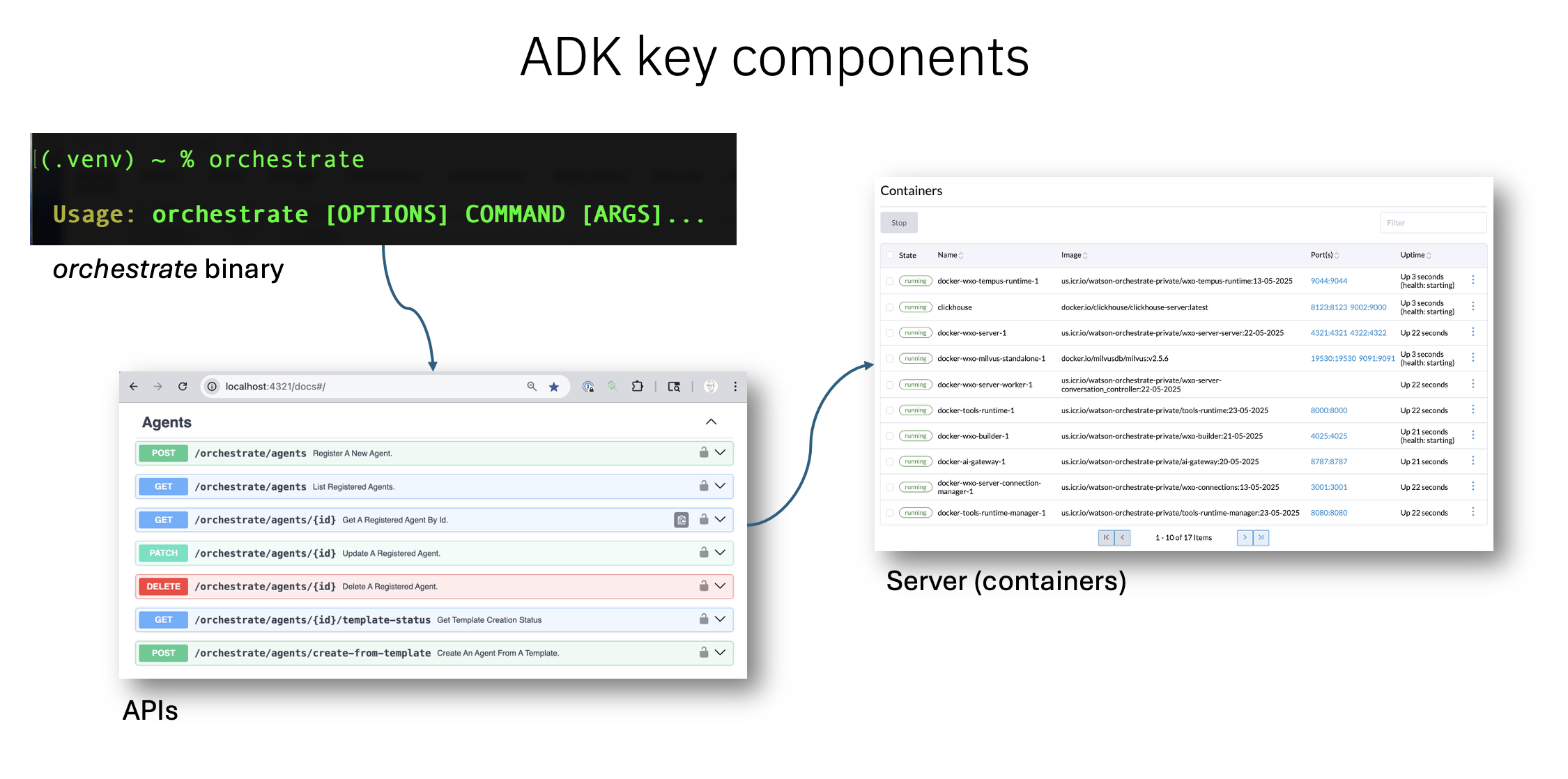
ADK useage
If you are new to the ADK, I reccomend that you start with the developer edition of watsonx Orchestrate running on your laptop. The locally installed ADK and server is a safe environment for your initial testing, and there is no risk of disrupting a live server environment. If you have not already, take the steps below in preparation for ADK tutorials.
- Start the Server
- Start the Chat client Your default browser should open to this localhost address:
You are ready to proceed with the ADK tutorials.