List agents API
Objective
This tutorial will step you through configuring Insomnia HTTP call to the /orchestrate/agents API to list the existing agents in your tenant, so we can find the Agent ID. We need the Agent ID in order to call the /runs API.
List agents - step by step guide.
-
Create a new HTTP request, using the "+" icon at the top of your list of existing HTTP requests. Select "New HTTP request" from the menu
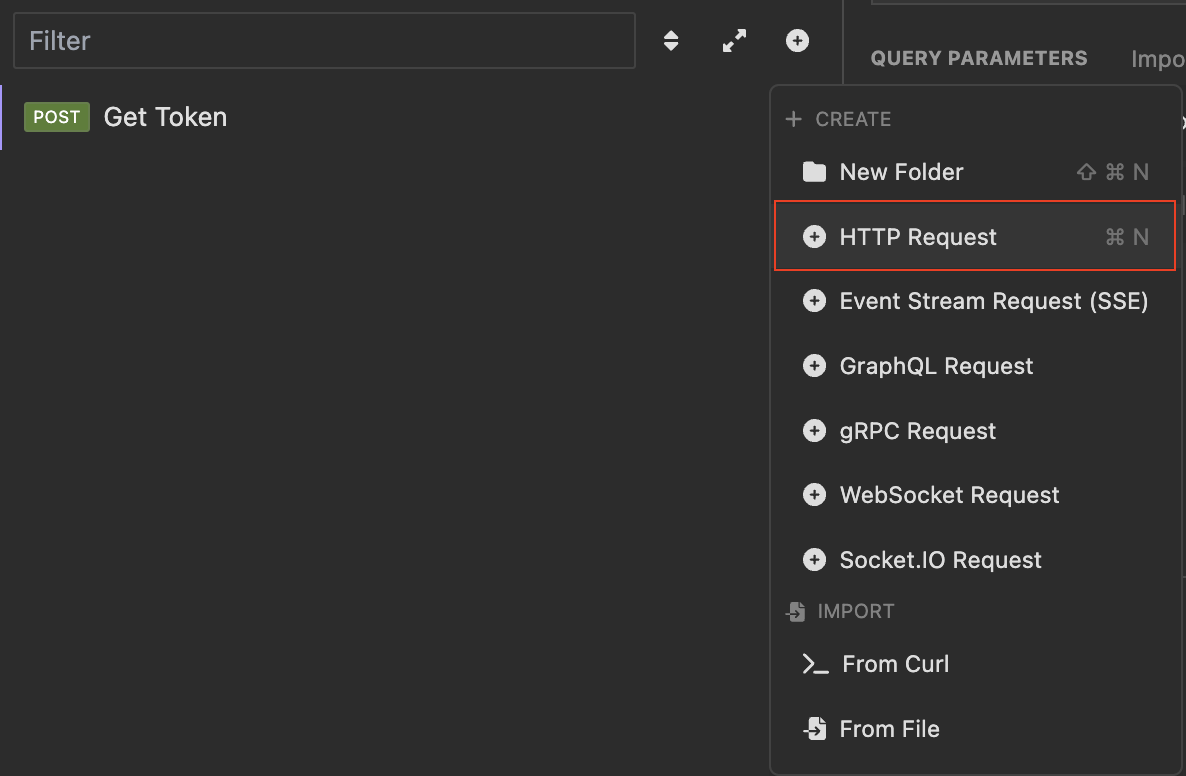
-
Configure the request with the _.wxo_url variable and the following path:
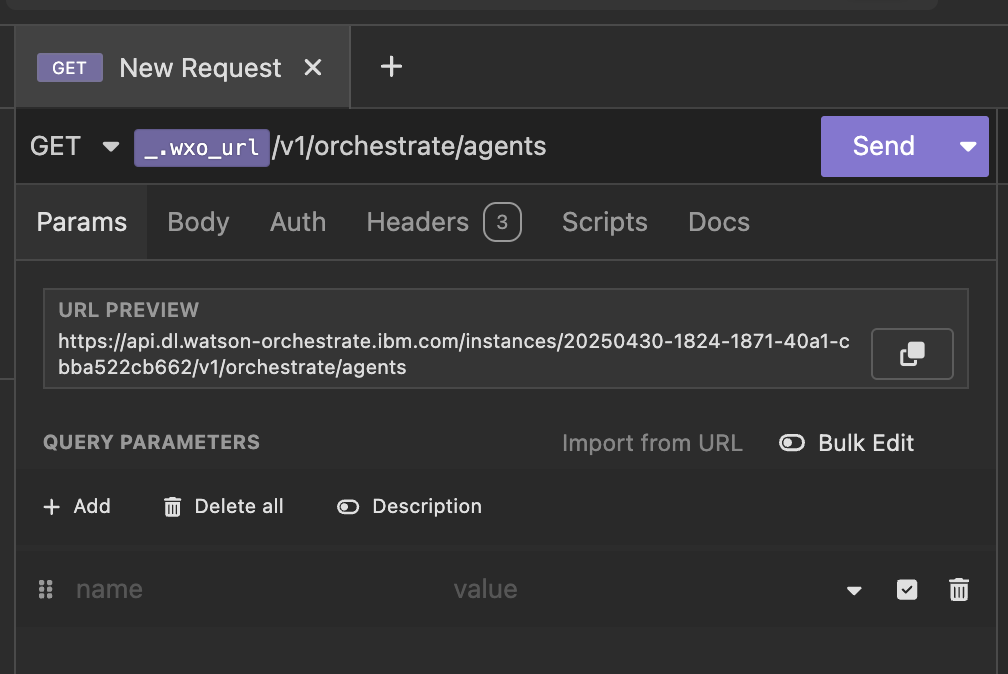
-
Next we will configure the token from the Token Auth API call as input to our Authorization token. In the Token field, type a period "." and select "Request -> OAuth 2.0 Access Token" from the list.
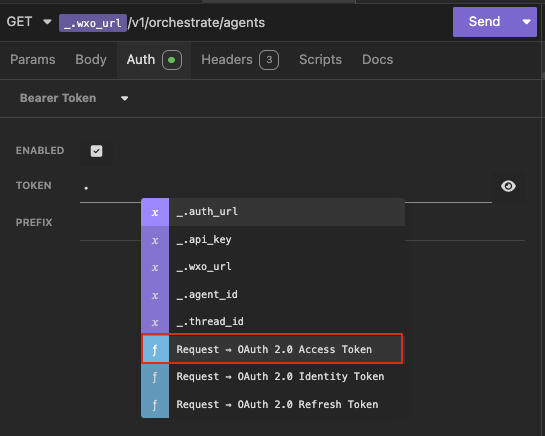
-
The result is an input variable that needs to be configured. Click on the unconfigured variable token and a configuration dialogue will appear.
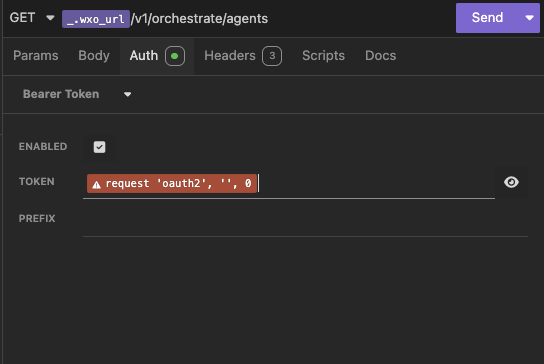
Variable configuration dialogue box:
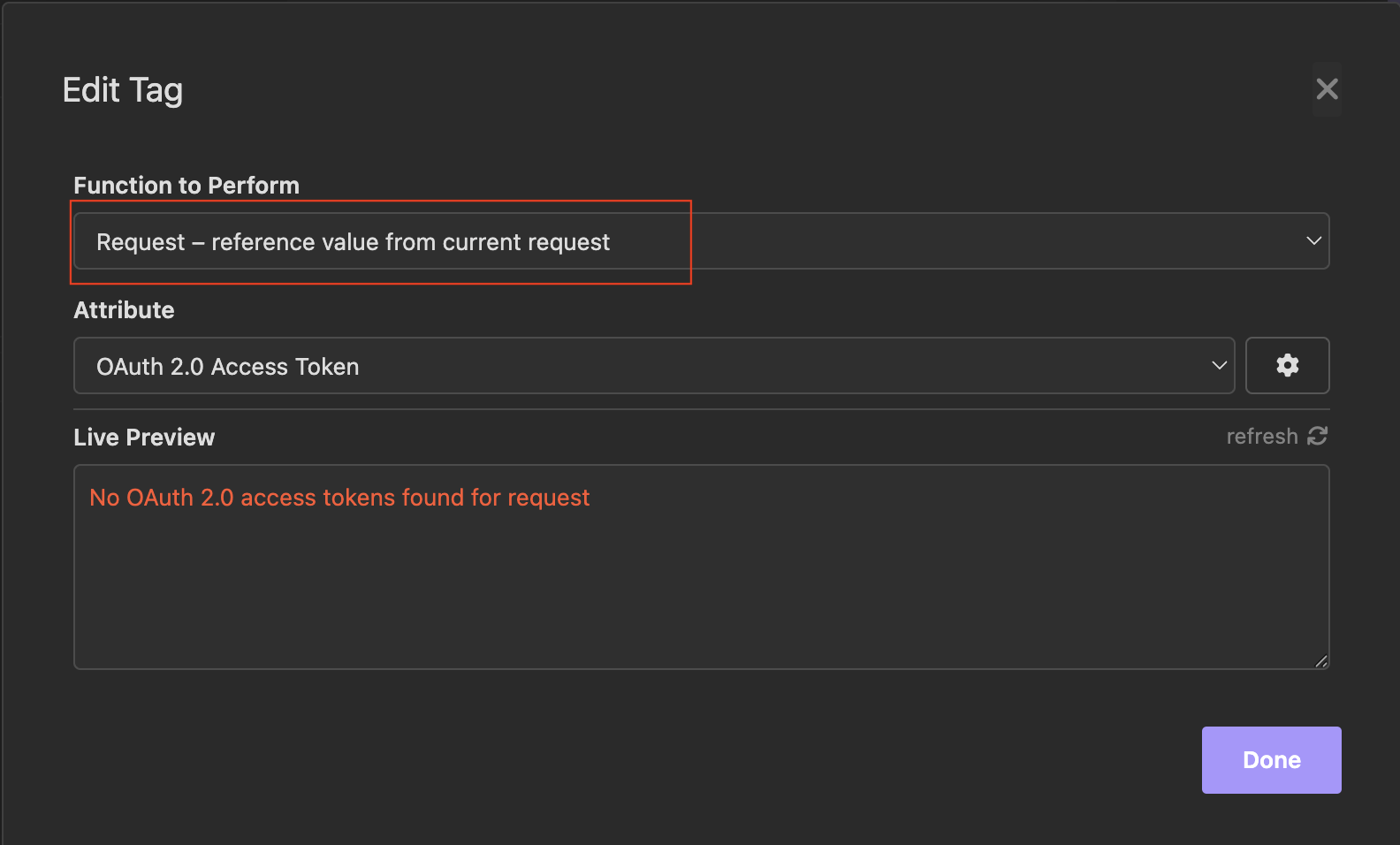
-
Click on the "function to perform" and select "Response - reference values from other request's responses"
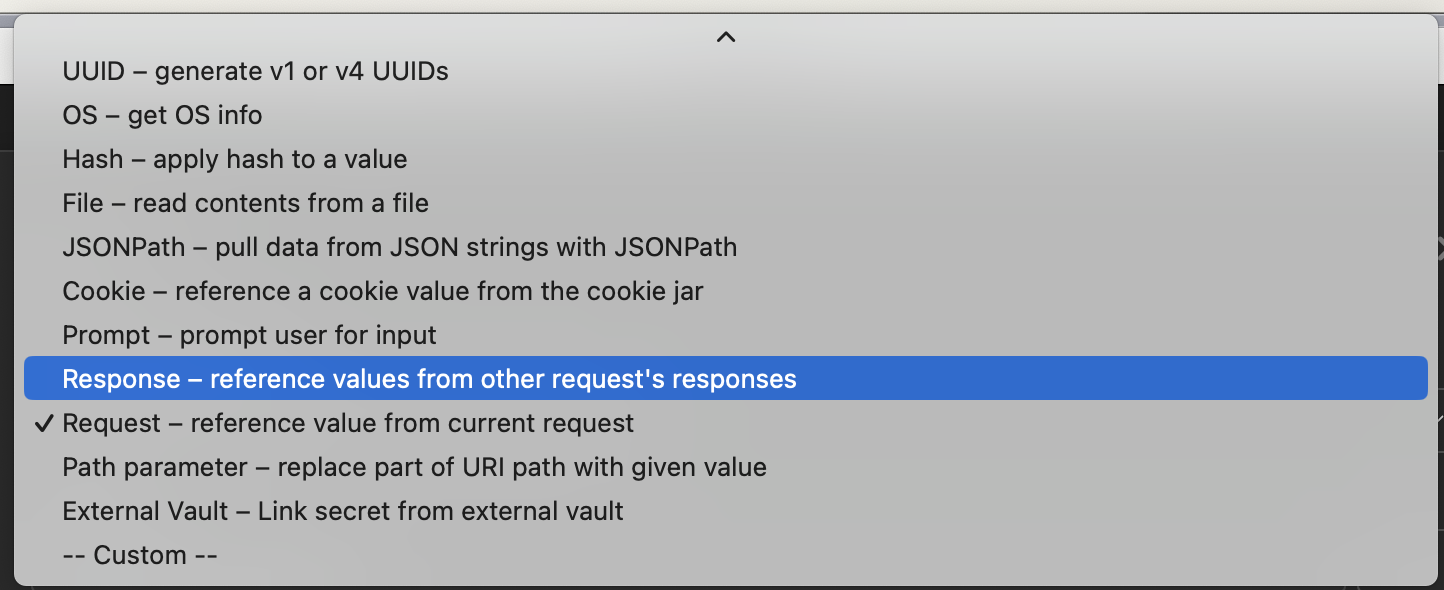
-
Under Attribute, select "Body Attribute - value of response body" and under Request select "POST Token Auth"
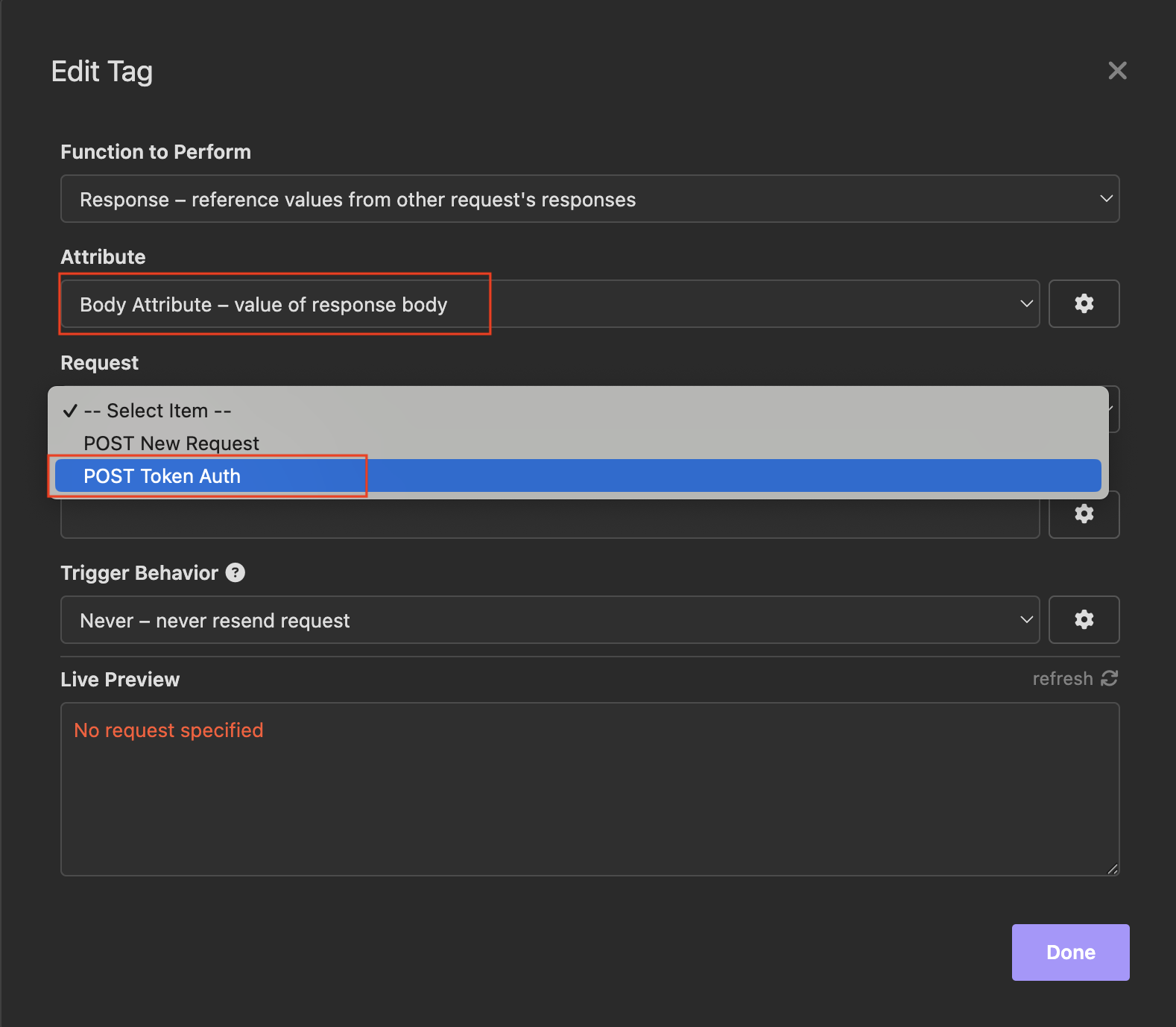
-
Under Trigger Behavior secrtion, select "Always - Always resend request" from the drop down menu.
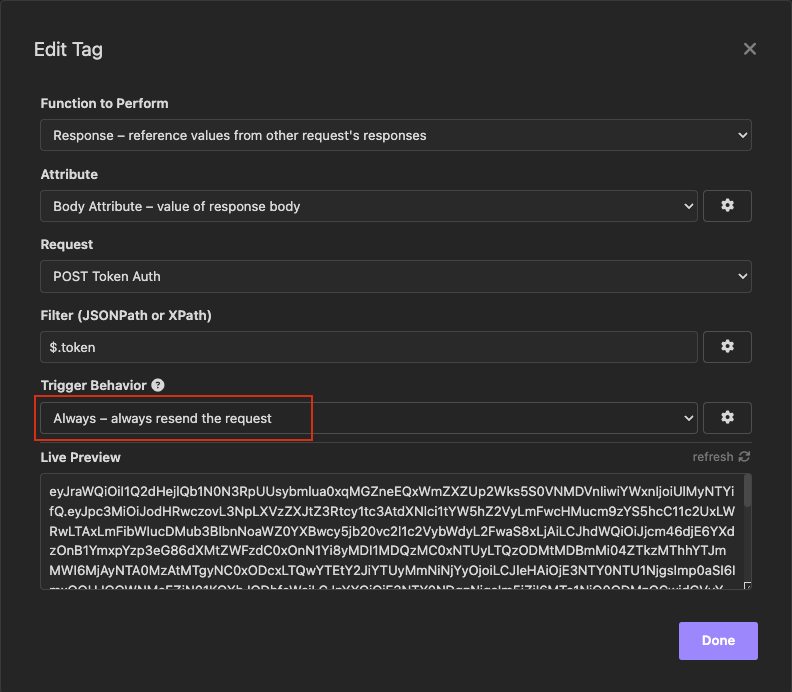
-
Lastly, configure the filter to fetch the "token" field from the Token Auth output. This can be done using the syntax
(which represent the token parameter from the output of the Token Auth API call, payload). You can see the token value in the 'live Preview" box at the bottom of the screen.
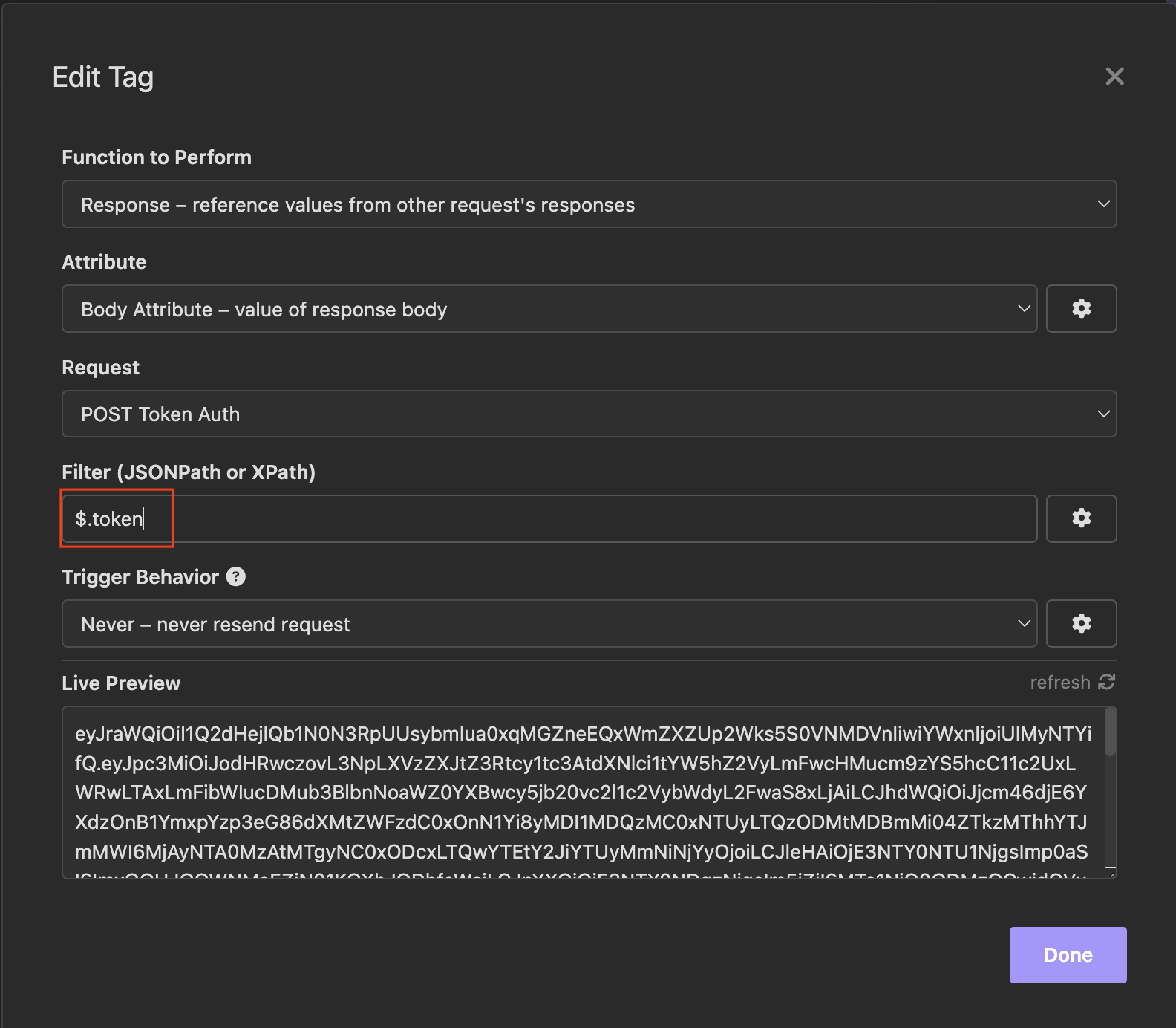
Click Done to complete this configuration. The correctly configured Auth section should look like this:
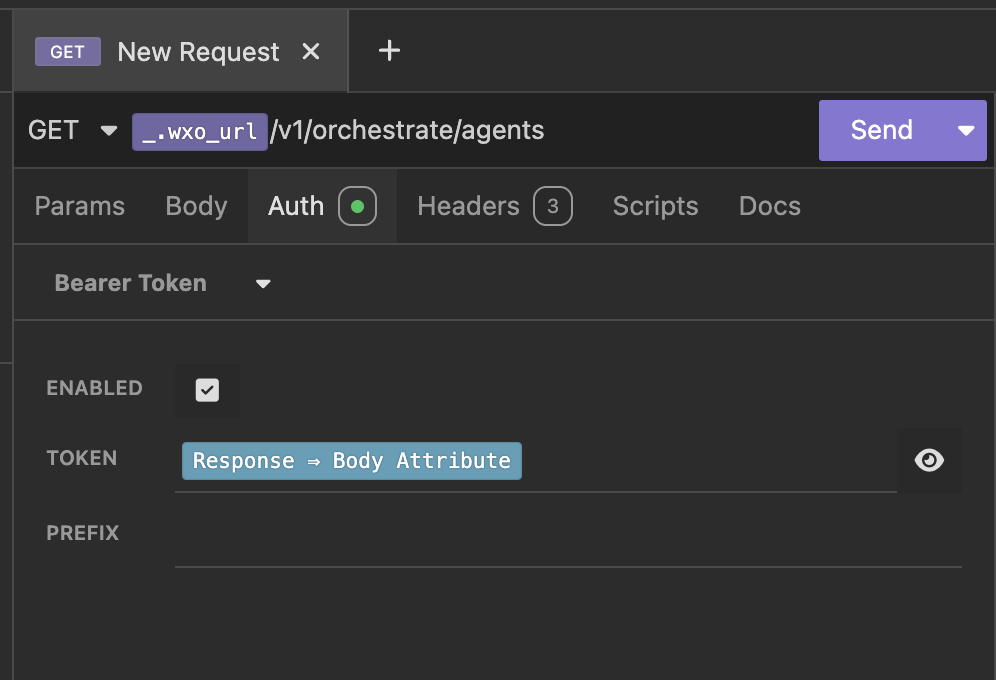
-
Click the Send button and view the results, which should be your agent details. If your tenant has multiple agents, use the CMD+F key to search for 'hello_world' and you should be able to find the Hello World agent and see it's id.
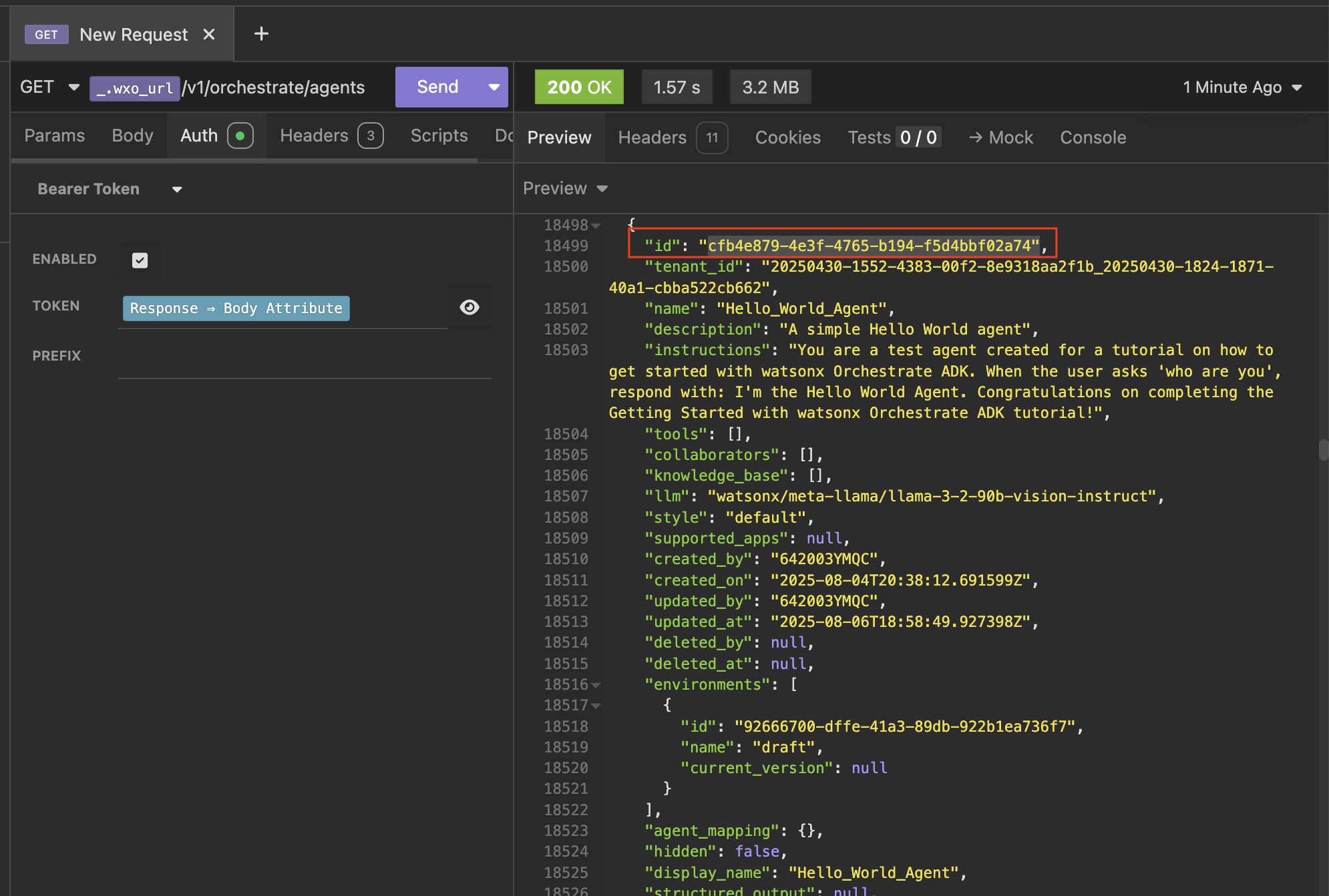
Copy the Agent ID and save it to your environment.
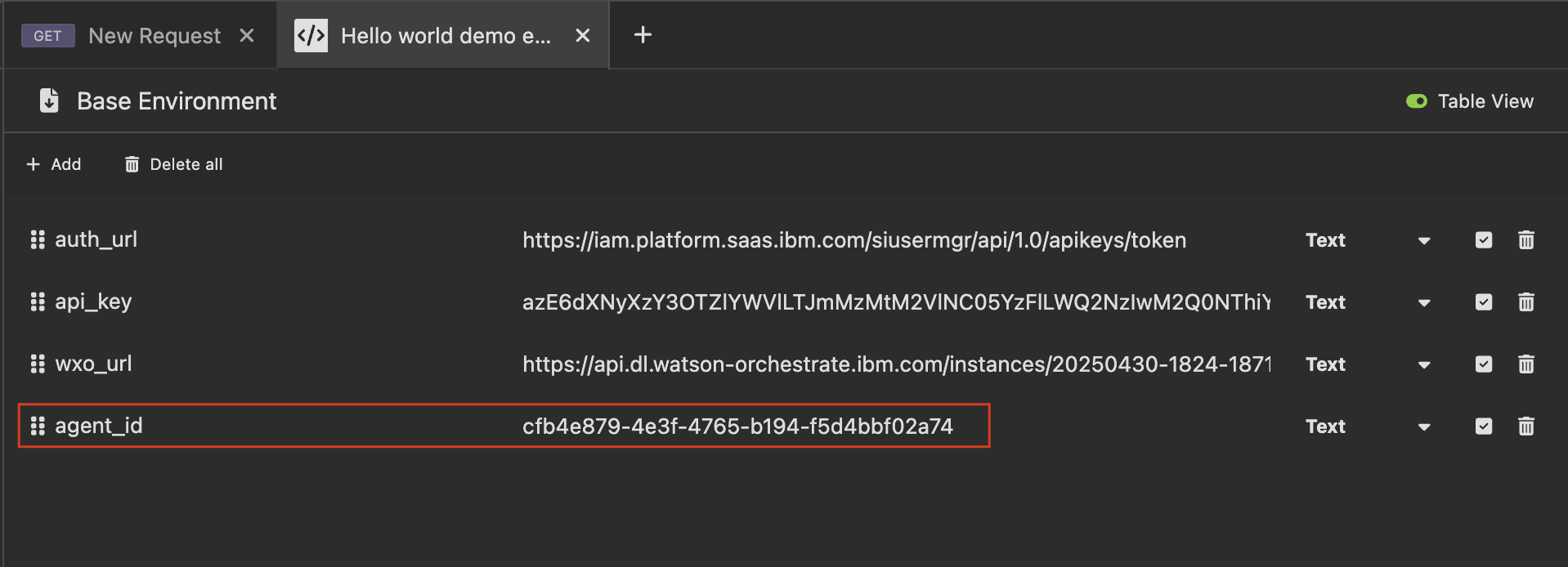
Chatting with the Agent ID via /runs API
Ready for the next step? Click here to chat with your agent.