Viewing Message details with the Messages API
Objective
In this tutorial, we will configure Insomnia HTTP client to query the /message API to get message details.
Get the messages - Step by Step
-
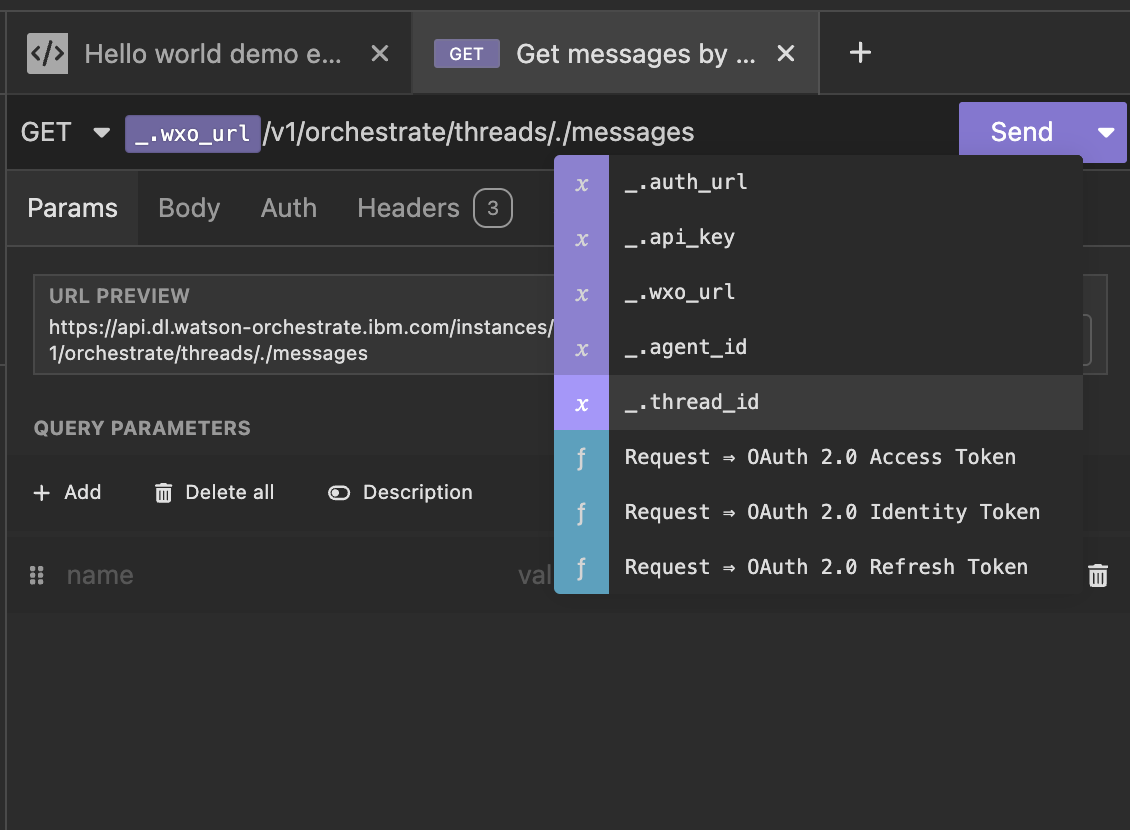
Create a new HTTP request, with the following URL as shown in the diagram.
-
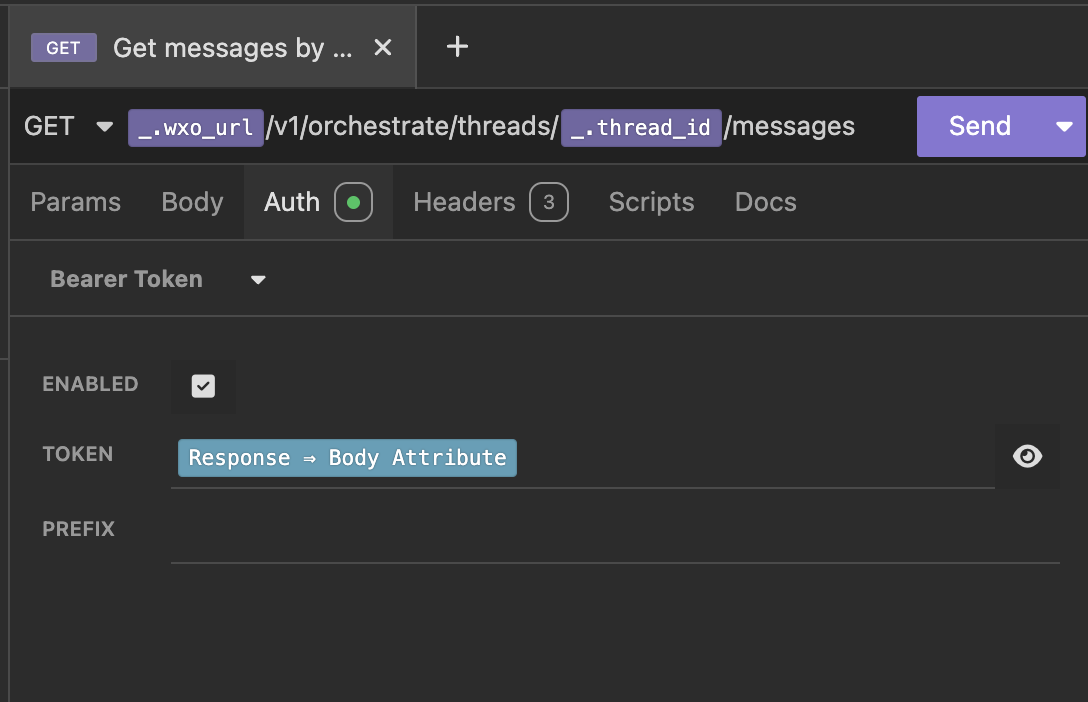
Next you will configure the authentication method for this API call. Fortunately, all API calls use the same bearer token for authentication, and we have already created an API call to fetch a valid bearer token from the authentication service for AWS tenants. You used it in the previous steps. Follow step 3 - 8 above in the list agents section to configure the Auth section to use the Token API call to fetch a Bearer token.
-
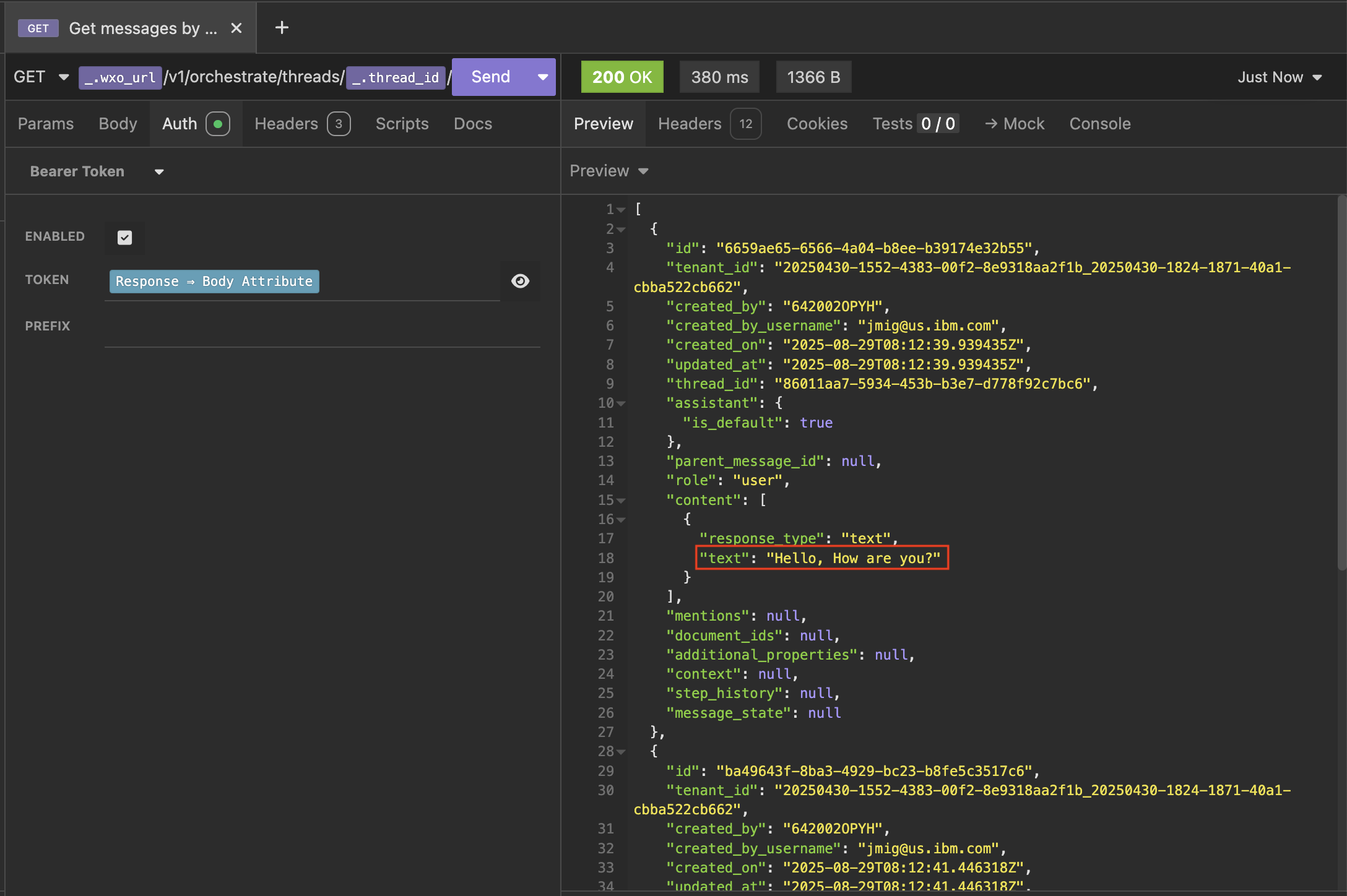
Run the command and view the messages in the thread. You should be able to see the message you sent and the response from the Agent.
Resources
You can find the Insomnia export of my environment (sanitized) and My first Collection.
Please provide feedback to jmig@us.ibm.com