Chat with Hello World Agent
Objective
At the end of this tutorial, you should have sent a message to the agent using the /runs api.
Settting context via /runs API
This section walks you through setting context when usingthe /runs API.
-
Now we need to configure the body section. Navigate to the body section and end the following text:
-
Now you can send your first message to the agent. Click Send. If everything is working, you can see the resulting object has a thread_id.
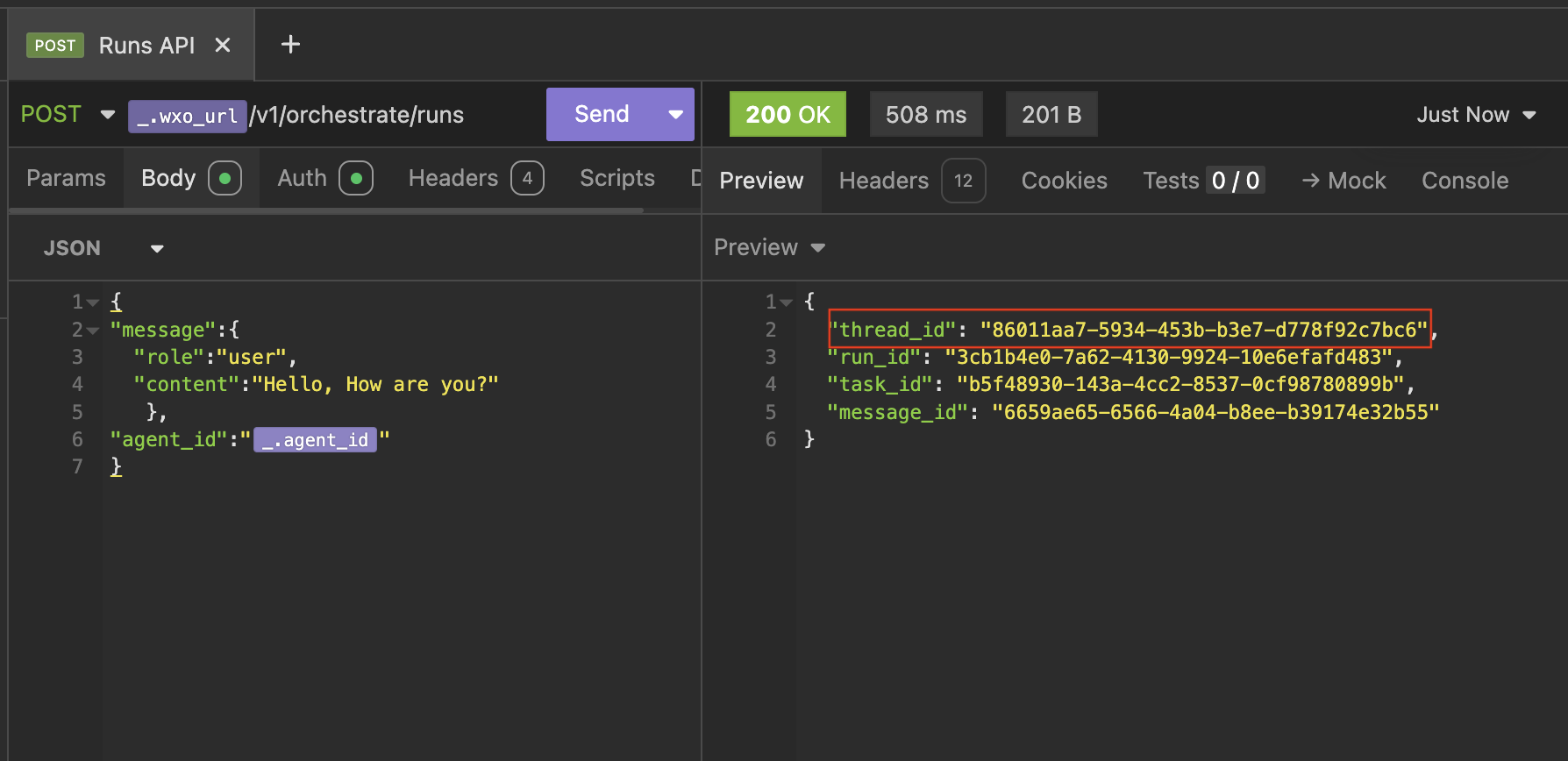
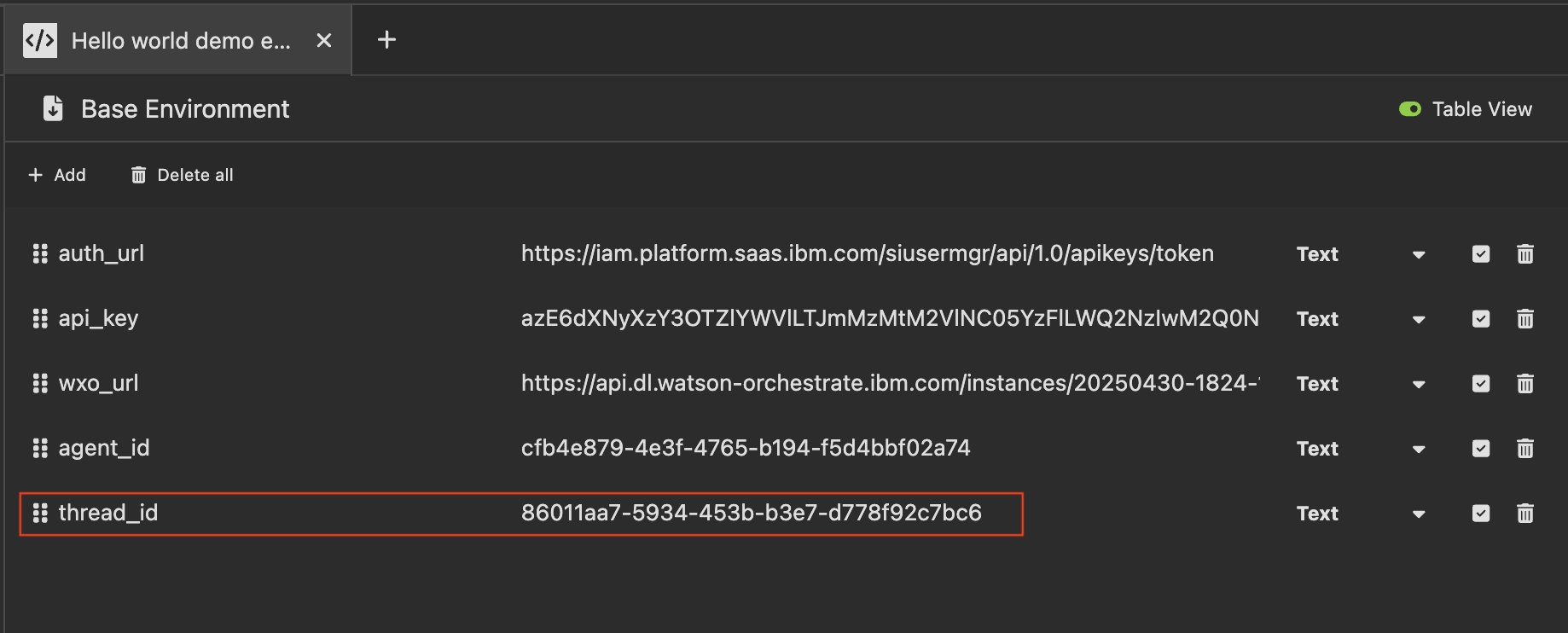
Save the thread_id as a new environment varible. We will use it to view the messages in the thread, using the /messages API.
Next steps
In the next step, we will view the new messages using the /messages api. If you are ready to start click next